Speed Queen Dryer Error Codes: Causes & Fixes
In this guide
1. Clogged Lint Screen or Exhaust Duct (Most Common)
Restricted airflow is the leading trigger for speed queen dryer error codes, causing the dryer to overheat and shut down on a thermal fault. A blocked lint screen or kinked exhaust duct starves the drum of fresh air and trips the safety sensors.
- Unplug the dryer from the wall outlet.
- Pull out the lint screen and remove every trace of lint; rinse the screen under running water if residue is caked on, and let it dry completely.
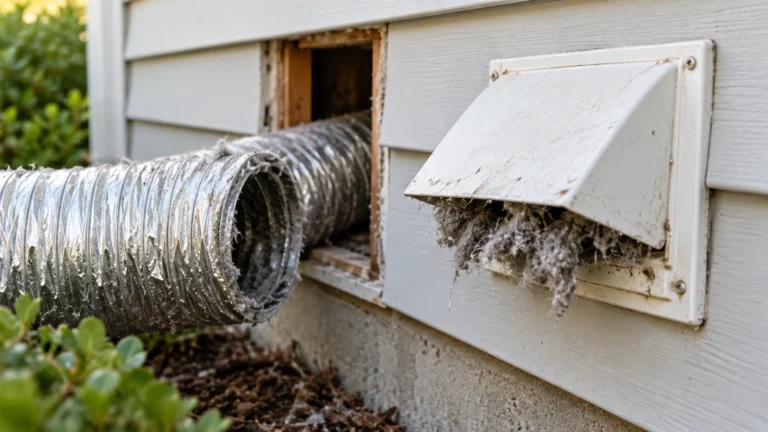
- Disconnect the exhaust duct from the back of the dryer and inspect the full length for kinks, blockages, or bird nests.
- Use a dryer vent brush kit to clear the duct run all the way to the exterior cap.
- Confirm the exterior vent flap opens freely when airflow is present.
- Reconnect everything, plug the dryer back in, and run a timed dry cycle to confirm the error is gone.
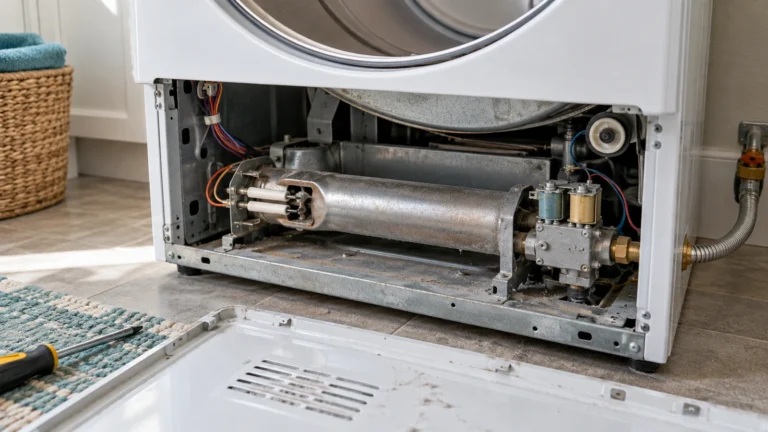
⚠️ Gas dryer: stop if you smell gas
If you smell gas, don’t run the dryer or use light switches or phones inside. Leave the home and call your gas utility or 911 from outside. Before checking the igniter or valve coils, unplug the dryer and close its gas shutoff valve. Gas lines, connectors and the gas valve body should be serviced only by a qualified technician. Never bypass a thermal fuse or thermostat.
2. Faulty Thermistor or Thermal Fuse
A failed thermistor (temperature sensor) or a blown thermal fuse sends incorrect temperature readings to the control board, which then logs a heat-related error code. These parts are inexpensive and relatively easy to replace.
- Unplug the dryer and pull it away from the wall.
- Remove the back panel (typically 6–8 hex-head screws).
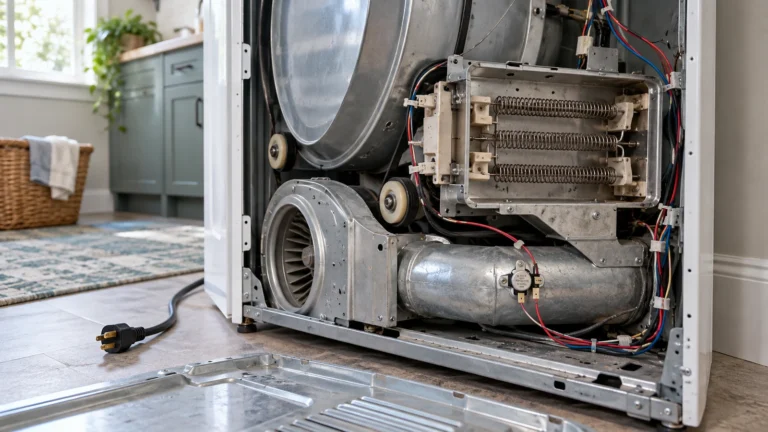
- Locate the thermistor on the exhaust duct or heating element housing and the thermal fuse on the burner or element assembly.
- Set a multimeter to the resistance (ohms) setting. A healthy thermistor reads roughly 10,000 Ω at room temperature; a good thermal fuse shows continuity.
- Replace any component that reads open (no continuity) or far outside the expected range.
- Reassemble, restore power, and run a test cycle.
3. Defective Door Switch
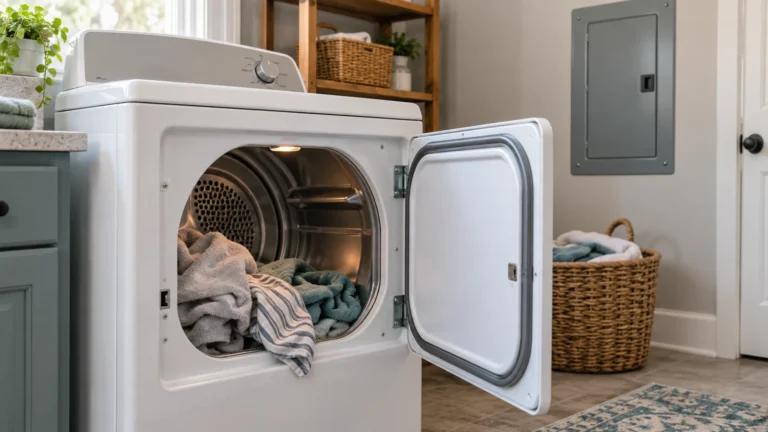
Speed Queen dryers won’t run—and will often display a door-fault code—if the door switch fails to confirm the door is closed. The switch takes repeated impact every cycle and can crack or wear out over time.
- Unplug the dryer.
- Open the dryer door and locate the door switch inside the door frame (usually a small plastic tab or plunger).
- Press the switch plunger by hand; you should hear or feel a clear click.
- If there is no click, access the switch by removing the top panel or front panel (consult your model’s diagram).
- Disconnect the wiring harness and test the switch with a multimeter for continuity when pressed and open when released.
- Install the new switch, reassemble the panels, and verify the error code clears on the next start.
4. Worn or Broken Drive Belt
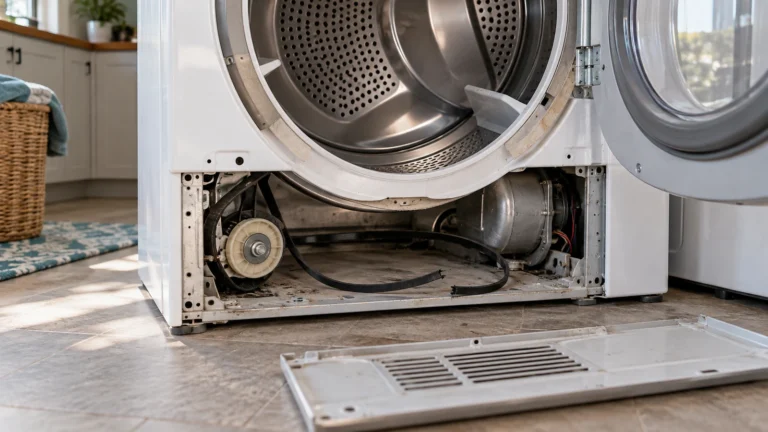
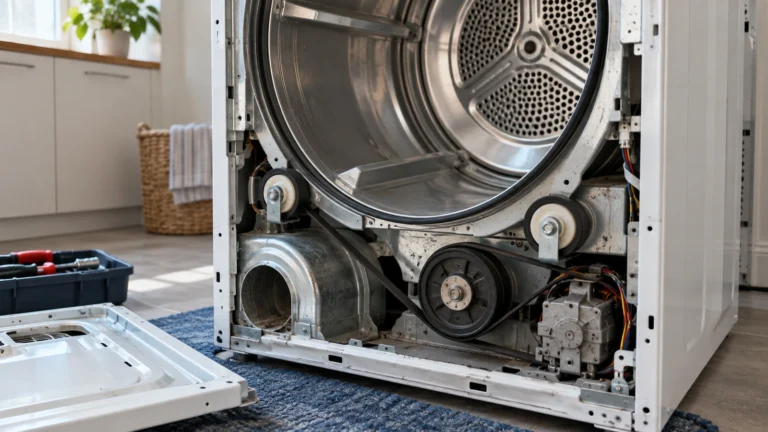
If the drum stops turning, the motor overloads and the control board may throw a motor or drum-rotation error code. A snapped drive belt is a common cause on older Speed Queen units.
- Unplug the dryer.
- Try turning the drum by hand; if it spins with almost no resistance, the belt is likely broken.
- Remove the front panel and top panel to access the drum.
- Lift the drum slightly and remove any remnants of the old belt from around the drum and idler pulley.
- Route the new belt around the drum (ribbed side against the drum), then loop it under the idler pulley and around the motor pulley per your model’s routing diagram.
- Reassemble, restore power, and confirm the drum rotates and the error is cleared.
5. Faulty Heating Element (Electric Models)
A burned-out heating element causes the dryer to tumble without heat, and the control board registers a no-heat fault code. Visually inspect the element coil for breaks or burn marks.
- Unplug the dryer and remove the back panel.
- Locate the heating element housing near the bottom rear of the cabinet.
- Visually inspect the coil for visible breaks, scorch marks, or spots where the coil is touching the casing.
- Use a multimeter to test for continuity across the element terminals. No continuity means the element is open and must be replaced.
- Disconnect the wires, remove the mounting screws, and swap in the new element.
- Reassemble and run a full cycle to confirm heat is restored.
6. Control Board Failure (Hardest to DIY)
When all sensors and mechanical components test fine but speed queen dryer error codes keep returning, the electronic control board itself may be corrupted or damaged. A failed board requires careful diagnosis before spending money on a replacement.
- Unplug the dryer for at least 60 seconds to attempt a hard reset, then restore power and see if the code clears.
- Inspect the wiring harness connectors on the board for corrosion, melted plastic, or loose pins.
- Check the control board visually for burnt components or bulging capacitors.
- If the board appears damaged or the same error code returns immediately after reset, consider professional diagnosis before purchasing a new board—these can be costly.
- If replacement is confirmed necessary, photograph all harness connections, swap the board, reconnect every harness, and restore power.
Frequently asked questions
How do I reset speed queen dryer error codes?
For most Speed Queen dryers, unplug the machine from its power outlet, wait at least 60 seconds, then plug it back in. This performs a hard reset and clears stored fault codes. If the code returns immediately, the underlying fault is still present and must be repaired before the code will stay clear.
Where can I find the official list of Speed Queen dryer fault codes for my model?
Speed Queen publishes fault-code tables in each model’s service manual. You can access official documentation through the Speed Queen Support page, where you can search by model number to download the correct service guide.
Is it safe to run my dryer while an error code is displayed?
No. Error codes exist to protect you and the appliance. Running the dryer while ignoring a fault—especially one related to overheating or airflow—can create a fire hazard or permanently damage internal components. Always diagnose and resolve the error before resuming normal use.
How do I know whether my Speed Queen dryer is gas or electric, and does it affect which parts fail?
Electric models have a large 240 V plug (four prongs) and use a heating element coil. Gas models connect to a gas supply line and use an igniter, gas valve coils, and a flame sensor instead of an element. Some error codes—particularly heat-related ones—map to different components depending on fuel type, so always confirm your dryer type before ordering parts.