Samsung Dryer Not Spinning – Causes & Fixes
⚠️ Caution: disconnect power first
Unplug the dryer before you remove any panel or test a part. Electric dryers run on 240 volts, so if yours is hardwired, switch off its double breaker. On a gas dryer, also close the gas shutoff valve, and if you ever smell gas, leave the home and call your gas utility from outside. Never bypass a thermal fuse or thermostat, even briefly. If you aren’t comfortable doing this, call a qualified appliance technician.
In this guide
1. Door Latch or Door Switch Not Engaging
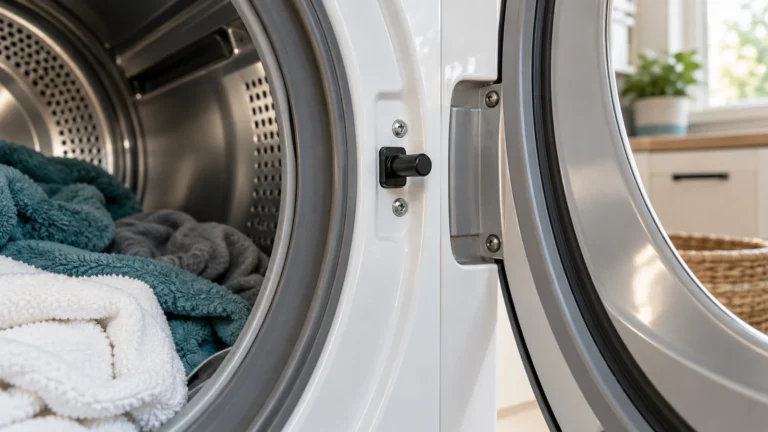
If the dryer door isn’t closing fully or the door switch has failed, the dryer’s safety circuit stays open and the drum will never spin. This is the quickest and cheapest thing to rule out first.
- Open and firmly close the dryer door—listen for an audible click.
- Inspect the door latch for broken plastic hooks or visible damage.
- Unplug the dryer, then locate the door switch (just inside the door frame).
- Use a multimeter set to continuity mode and test the switch terminals—a good switch clicks and shows continuity when pressed.
- If there is no continuity, replace the door switch.
2. Broken Drive Belt (Most Common Cause of a Samsung Dryer Not Spinning)
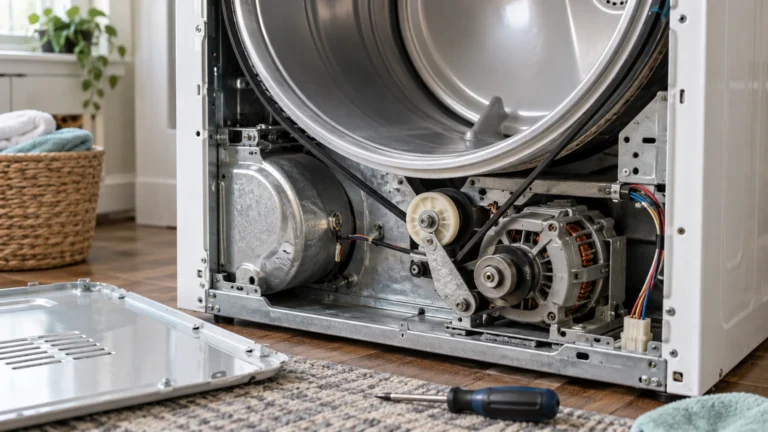
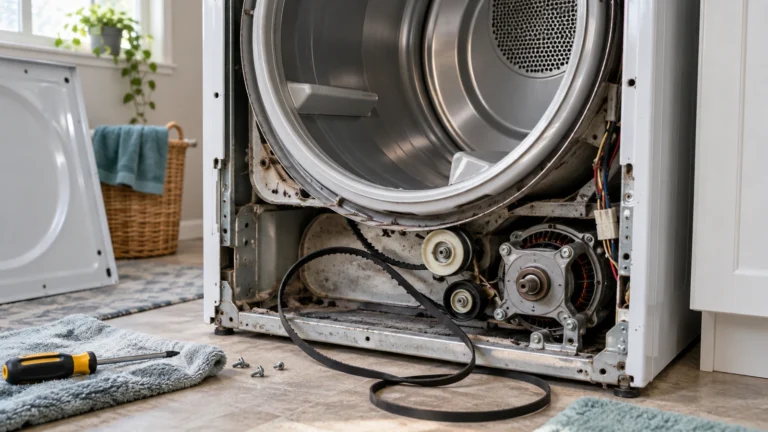
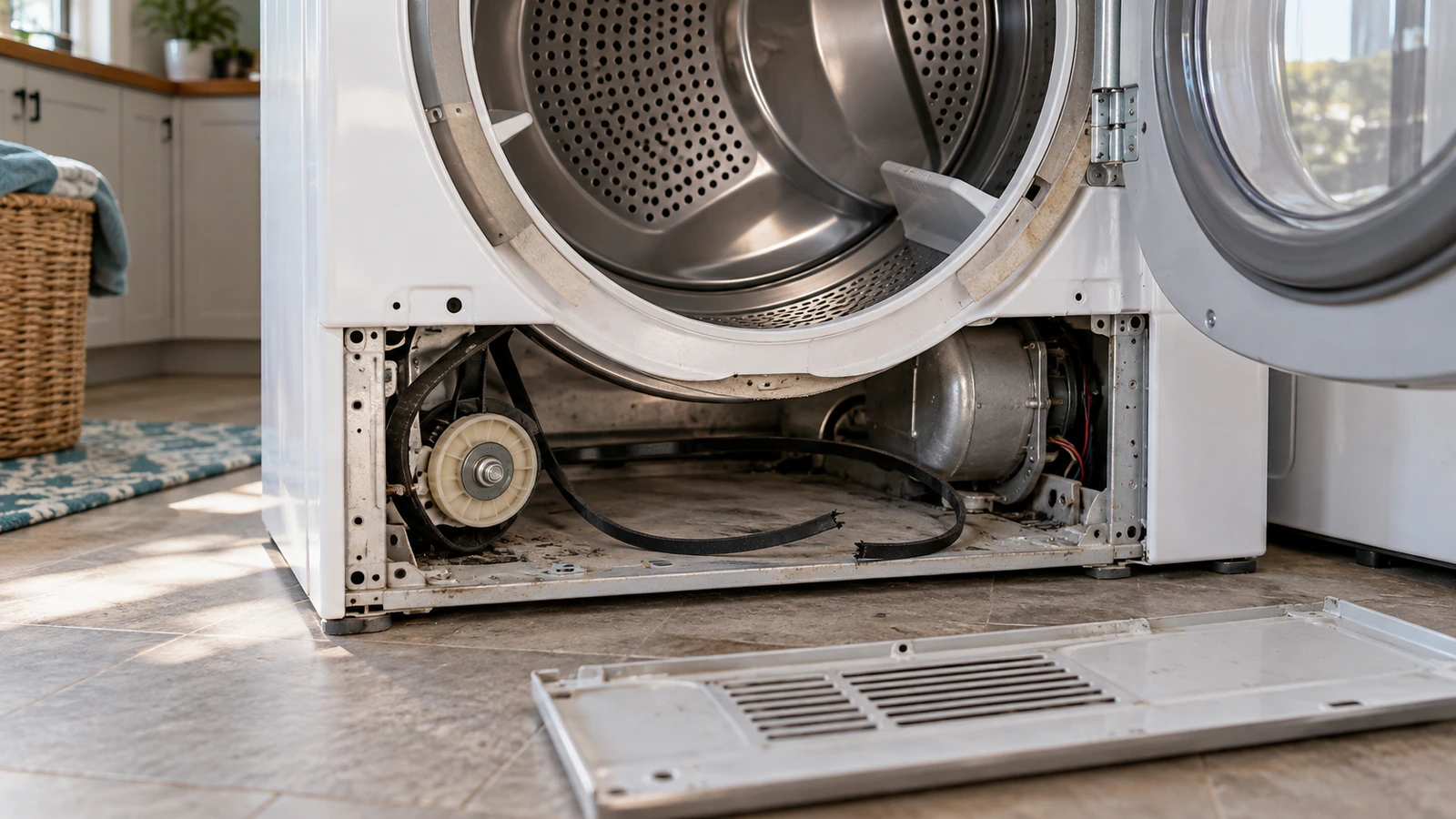
The drive belt wraps around the drum, motor pulley, and idler pulley to rotate the drum. When it snaps, the drum sits completely still even though you can hear the motor running.
- Unplug the dryer from the wall outlet.
- Remove the top panel (two screws at the rear or release clips at the front, depending on your model).
- Lift off the front panel to expose the drum.
- Try to spin the drum by hand—if it spins with zero resistance, the belt is broken.
- Locate the broken belt around the drum and motor pulley area and remove it.
- Thread the new belt around the drum (ribbed side against the drum), loop it under the idler pulley, and around the motor shaft.
- Reassemble panels, restore power, and run a test cycle.
3. Worn or Seized Idler Pulley
The idler pulley keeps constant tension on the drive belt; if its wheel seizes or the bracket breaks, the belt loses tension and the drum stops turning.
- Unplug the dryer and remove the front panel as described above.
- Locate the idler pulley on the motor bracket near the base of the drum.
- Spin the idler pulley wheel by hand—it should spin freely and smoothly.
- Check for wobble, grinding, or a cracked plastic wheel; any of these indicate failure.
- Release the belt tension, unclip or unbolt the idler pulley assembly, and swap in the new one.
- Re-route the belt, reassemble, and test.
4. Faulty Start Switch or Control Board
If pressing Start produces no drum movement and no motor hum at all, the start switch or the main control board may not be sending the run signal.
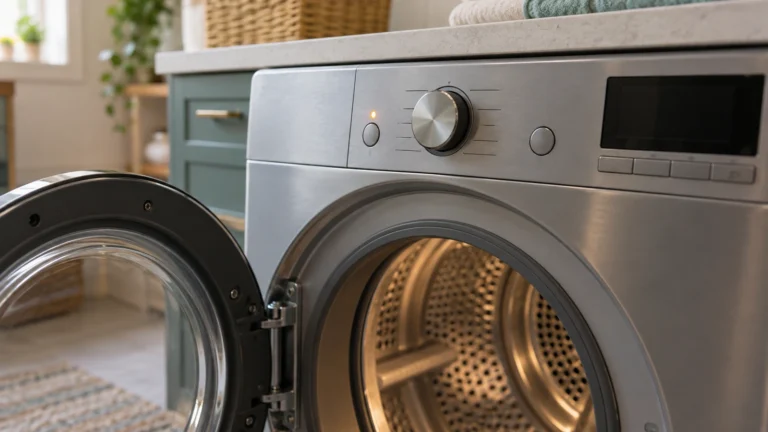
- Unplug the dryer and remove the control panel (usually two screws on the back edge).
- Locate the start switch behind the Start button.
- Test the switch with a multimeter for continuity when pressed—no continuity means replace it.
- If the switch tests good, visually inspect the control board for burnt spots, swollen capacitors, or scorch marks.
- If the board shows damage, consult Samsung’s official support page to verify compatibility before ordering a replacement board.
- Replace the faulty component, reassemble, and test.
5. Failed Drive Motor
The drive motor spins both the drum and the blower fan; a failed motor will produce a humming noise with no drum movement, or complete silence when Start is pressed.
- Unplug the dryer and gain access to the motor by removing the front panel and lifting out the drum.
- Disconnect the motor wiring harness and test the motor windings with a multimeter for continuity.
- Check that the motor’s centrifugal switch (built into the motor) is not stuck—press it with a finger; it should move freely.
- If the motor shows no continuity or is seized, replace it.
- Reconnect all wiring, re-route the belt, reassemble, and run a full test cycle.
6. Drum Rollers or Drum Glides Worn Out
Drum support rollers and glides reduce friction as the drum turns; when they wear flat or break, drag becomes so great that the motor trips on thermal overload and the drum stalls.
- Unplug the dryer and remove the front panel to access the drum.
- Lift the drum slightly and inspect the rear drum rollers (usually two) and front glide strips or felt seal.
- Spin each roller by hand—they should spin freely without wobbling or squealing.
- Inspect the front glides for heavy wear, cracking, or missing sections.
- Replace worn rollers in pairs and replace all glide strips at the same time.
- Apply a small amount of manufacturer-approved lubricant to roller shafts if specified in your model’s service guide.
- Reassemble, restore power, and verify the drum spins quietly and freely.
Frequently asked questions
Why does my Samsung dryer hum but the drum won’t turn?
A humming noise with no drum movement almost always points to a seized drive motor, a broken drive belt (the motor spins freely but the drum does not), or a jammed idler pulley. Start by checking whether the drum spins freely by hand with the belt removed. If the drum is free but still won’t turn during a cycle, the motor or its centrifugal switch is the likely culprit.
Can I still use my dryer if the drum won’t spin?
No. Without drum rotation, clothes sit in a stationary pile against the heating element, which creates a serious fire and scorching hazard. Do not run the dryer until the spinning issue is resolved.
How long does a Samsung dryer drive belt typically last?
Under normal household use, a drive belt typically lasts 8–12 years. Overloading the drum regularly, running very long cycles, or infrequent lint-trap cleaning can shorten belt life significantly.
Is replacing a Samsung dryer belt a DIY job?
Yes, for most homeowners with basic mechanical confidence. The job requires only a putty knife or panel-release tool, a Phillips screwdriver, and about 45–60 minutes. The trickiest part is correctly routing the new belt around the idler pulley and motor shaft—take a photo of the original routing before removing the old belt.