Samsung Refrigerator Not Cooling – Fix It Fast
In this guide
1. Check Temperature Settings and Demo Mode
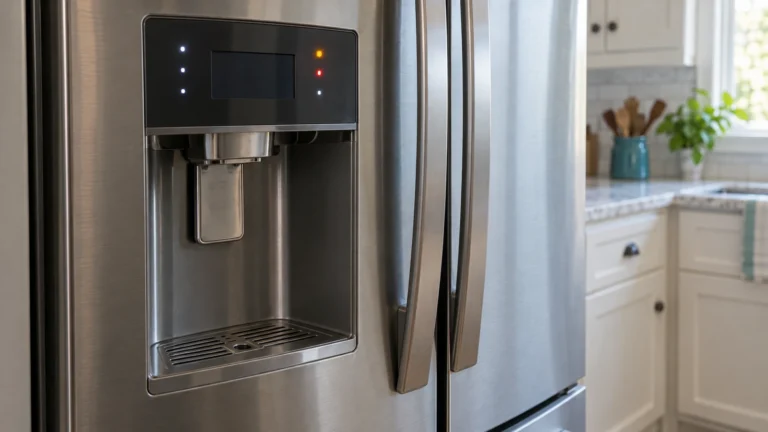
Someone may have accidentally changed the temperature settings or activated the showroom/demo mode, which disables cooling entirely while keeping the lights and display on.
- Open the fridge and locate the control panel (inside or on the door).
- Confirm the refrigerator is set to 37 °F (3 °C) and the freezer to 0 °F (−18 °C).
- To check for demo/cooling-off mode, consult your model’s manual or visit Samsung’s official refrigerator support page for model-specific instructions.
- If “OF OF,” “O FF,” or “DEMO” appears on the display, hold the appropriate button combination (often Fridge + Energy Saver for 3 seconds) to exit demo mode.
- Wait 24 hours to see if temperatures recover before moving on.
⚠️ Caution: unplug before you open anything
Unplug the refrigerator before you remove any panel or test a part, and keep food in a cooler meanwhile. Never bypass a safety device. Anything involving refrigerant, the compressor or a sealed-system leak needs an EPA-certified technician. If you aren’t comfortable doing this, call a qualified appliance technician.
2. Clean the Condenser Coils
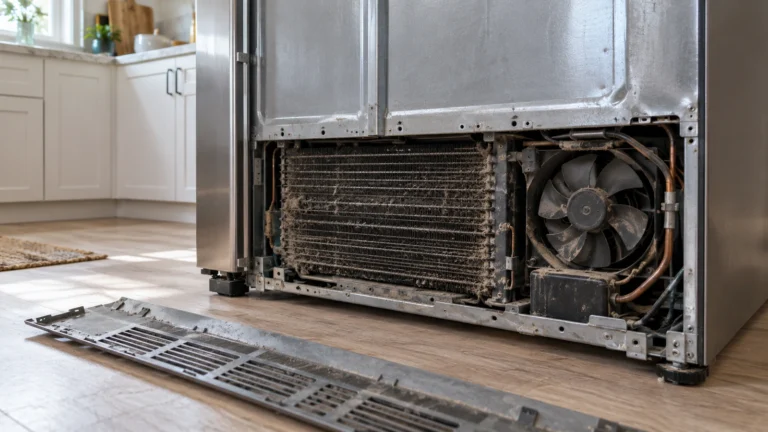
Clogged condenser coils can’t release heat efficiently, forcing the compressor to overwork and leaving the refrigerator unable to cool properly. This is one of the most common — and easiest — fixes.
- Unplug the refrigerator from the wall outlet.
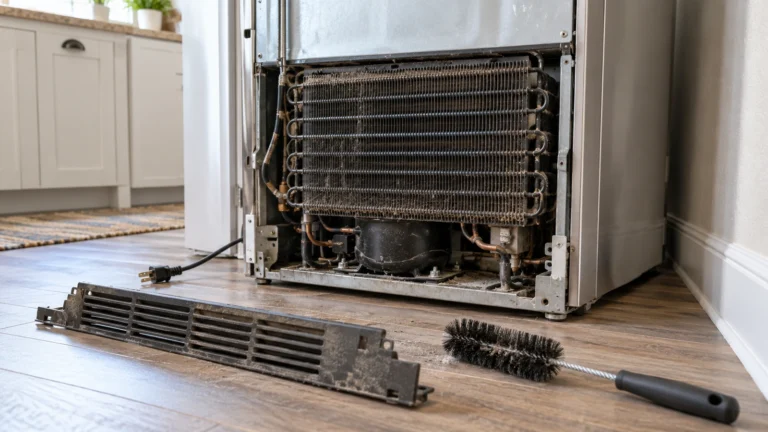
- Pull the unit away from the wall and locate the condenser coils (usually behind a rear access panel or beneath the unit behind a kick plate).
- Use a vacuum cleaner with a brush attachment or a coil cleaning brush to remove dust, pet hair, and debris.
- Restore power, push the refrigerator back into place, and monitor temperatures for several hours.
3. Test the Evaporator Fan Motor
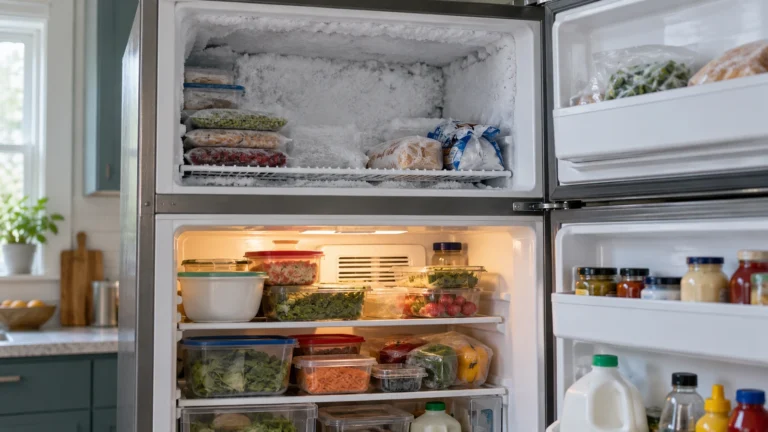
The evaporator fan circulates cold air from the freezer section throughout the refrigerator compartment; if it stops working, the fridge warms up even though the freezer may still feel cool.
- Open the freezer and locate the evaporator fan cover (typically on the rear wall).
- Press the door switch manually — you should hear the fan running. If it’s silent or the blades are frozen solid, the fan or its motor is the likely culprit.
- Defrost any ice buildup with a hair dryer on low heat, then retest.
- If the fan still doesn’t run after defrosting, the motor needs replacement.
4. Inspect the Door Gaskets for Air Leaks
A torn or warped door gasket allows warm, humid air to seep in constantly, making it nearly impossible for the refrigerator to maintain a safe temperature.
- Close the door on a dollar bill; if you can pull the bill out with little resistance, the seal is weak.
- Inspect the entire gasket perimeter visually for cracks, tears, or areas where it no longer lies flat.
- Clean the gasket with warm soapy water — a dirty gasket can mimic a bad one.
- Try softening a slightly deformed gasket by warming it briefly with a hair dryer and pressing it back into shape.
- If the gasket is cracked or permanently deformed, replace it.
5. Test the Start Relay on the Compressor
The start relay gives the compressor the initial jolt of electricity it needs to start; a faulty relay is a common reason a Samsung refrigerator not cooling has a compressor that hums briefly then clicks off.
- Unplug the refrigerator.
- Remove the rear access panel and locate the start relay — a small component plugged into the side of the compressor.
- Pull the relay off and shake it next to your ear. A rattling sound strongly indicates a failed relay.
- Set a multimeter to the continuity/Ω setting and probe the relay’s two terminals. A good relay reads near zero ohms; an open circuit means it’s faulty.
- Replace the relay if it fails either test.
6. Inspect the Temperature Control Board
The main temperature control board manages cooling cycles for the entire refrigerator; when it fails, it may stop sending power to the compressor, fans, or defrost system, causing complete loss of cooling.
- Unplug the refrigerator before inspecting any control board.
- Locate the control board (usually behind a panel in the back or top of the fresh-food compartment).
- Visually inspect the board for burnt spots, arcing marks, or damaged components.
- If all other components (fan, start relay, defrost system) have tested good and the refrigerator still won’t cool, a faulty control board is likely.
- Because control boards can be costly, have a technician confirm the diagnosis before purchasing a replacement.
Frequently asked questions
How long does it take a Samsung refrigerator to cool down after a repair?
After a repair or a power interruption, allow at least 24 hours for the refrigerator to reach and stabilize at its set temperature. Avoid opening the doors frequently during this period, and keep the freezer and fridge reasonably full to help retain cold air.
Why is my Samsung freezer cold but the fridge warm?
This is a classic symptom of a failed evaporator fan motor or a blocked air vent between the freezer and fresh-food sections. It can also indicate a heavy frost buildup on the evaporator coils that’s blocking airflow, pointing to a defrost system failure (defrost heater, thermostat, or control board).
Can a dirty water filter cause a Samsung refrigerator to stop cooling?
No — a clogged water filter affects water and ice dispenser flow only and has no direct impact on the refrigerator’s cooling system. If someone suggested otherwise, focus your troubleshooting on airflow, the compressor, and the evaporator components instead.
Is there a reset procedure for a Samsung refrigerator that’s not cooling?
Yes. You can perform a soft reset by unplugging the refrigerator for 5 minutes, then restoring power. Some models also have a reset button behind the ice maker or inside the control panel. A reset won’t fix a failed mechanical part but can clear control board glitches that interfere with normal cooling cycles.