Samsung Washer Error Codes: Causes & Fixes
Step-by-step guides for single codes: 4C (not filling) · ND / 5C (not draining) · DC (unbalanced or door)
⚠️ Caution: disconnect power and water first
Unplug the washer and turn off both water taps before you remove a panel, test a part or disconnect a hose. Never test parts with the power on, and never bypass the lid switch or door lock. If you aren’t comfortable doing this, call a qualified appliance technician.
In this guide
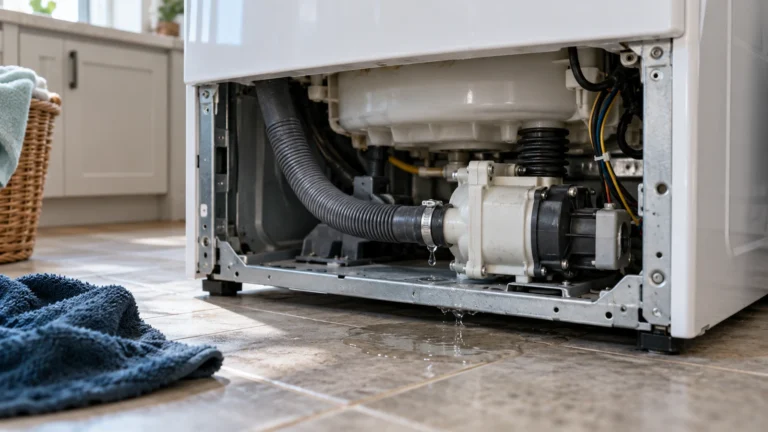
1. Clogged drain pump filter (5C / 5E / nF / OE codes)
A blocked filter is the single most common trigger for drain-related codes. Lint, coins, and small garments restrict water flow and force the machine to fault out within minutes.
- Unplug the washer and turn off the water supply.
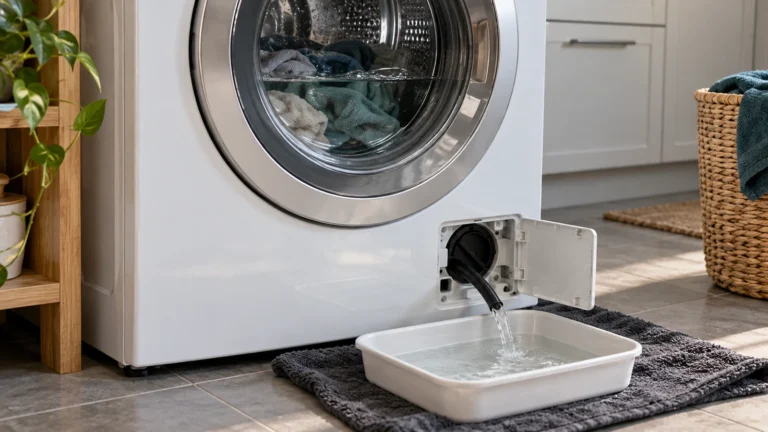
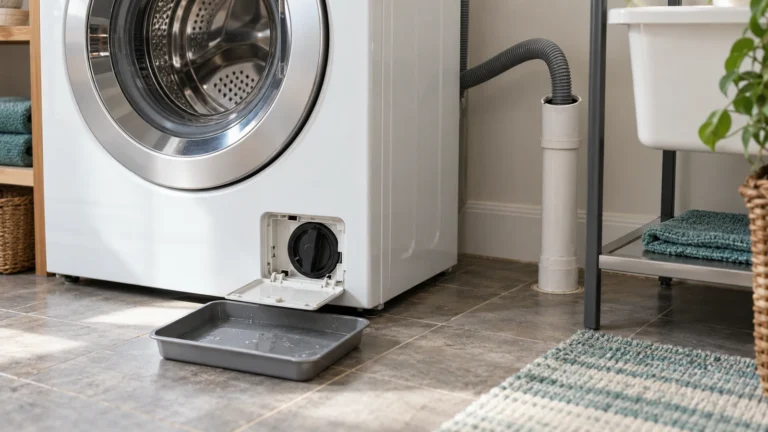
- Locate the small access panel on the lower-front of the machine and place a shallow pan beneath it to catch residual water.
- Slowly turn the drain pump filter cap counterclockwise and let the water drain completely.
- Remove the filter, rinse it under warm running water, and clear any debris from the filter housing.
- Reinstall the filter, close the panel, restore power, and run a short spin cycle to confirm the code is gone.
2. Kinked or blocked drain hose (5C / 5E / OC codes)
Even with a clean filter, a kinked, pinched, or improperly positioned drain hose can prevent water from exiting, producing the same drain-error codes.
- Pull the washer away from the wall far enough to inspect the full length of the drain hose.
- Straighten any kinks and confirm the hose is not pressed tightly against the wall.
- Check that the hose inserts no more than 6 inches into the standpipe — too deep creates a siphon effect.
- Inspect the hose interior for blockages by shining a flashlight through it; flush with water if needed.
- If the hose is cracked or permanently kinked, replace it before running another cycle.
3. Faulty door latch or lock assembly (dC / dE / dL codes)
Samsung washers refuse to start or will pause mid-cycle when the control board cannot confirm the door is securely latched. A worn or broken door lock assembly is the usual culprit.
- Open and firmly close the door — sometimes a simple re-latch clears a momentary dC code.
- Inspect the door strike (the plastic tab on the door) for cracks or deformation; replace it if damaged.
- Check the door seal/gasket for debris that might be preventing full closure and wipe the rim clean.
- If the code persists, unplug the washer and use a multimeter to test the door lock assembly for continuity — a reading of OL (open circuit) confirms a failed part.
- Replace the door lock assembly if it fails the continuity test.
4. Water inlet valve failure (4C / 4E / nF codes)
The water inlet valve opens to let hot and cold water into the drum; if its solenoid coils burn out or its mesh screens become clogged with sediment, the washer can’t fill properly and throws a supply error.
- Confirm that both water supply faucets behind the washer are fully open.
- Check that household water pressure is between 14.5 and 116 psi — very low pressure triggers fill errors even with a healthy valve.
- Unplug the washer, turn off the water, and disconnect the inlet hoses from the valve.
- Remove the small mesh screens from the valve inlets and rinse them under running water to clear mineral deposits.
- Use a multimeter to test each solenoid coil on the valve for continuity. Replace the valve if any coil reads open.
5. Worn drum bearings or damaged drive belt (Ub / Ur / vibration-related codes)
Unbalanced-load codes (Ub/Ur) sometimes persist even with evenly distributed laundry, pointing to a mechanical issue: worn drum bearings cause uneven drum rotation, while a stretched or broken drive belt causes erratic spin behavior.
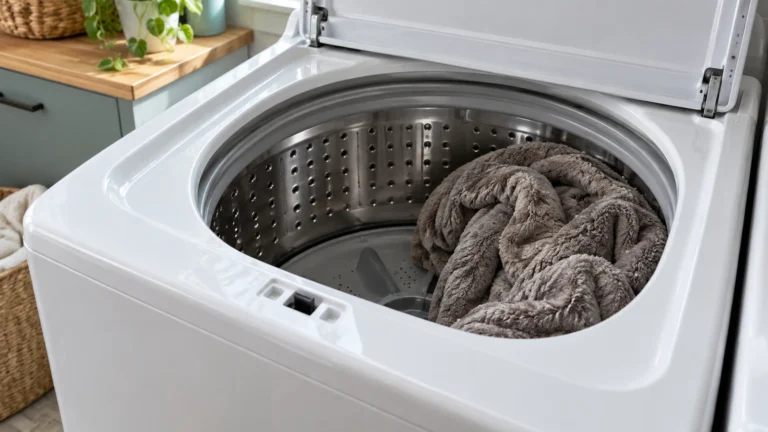
- Run a small balanced load; if the code clears, the original load was simply off-center — redistribute laundry and retry.
- Spin the drum by hand with the washer unplugged; a rumbling or grinding sensation indicates worn bearings.
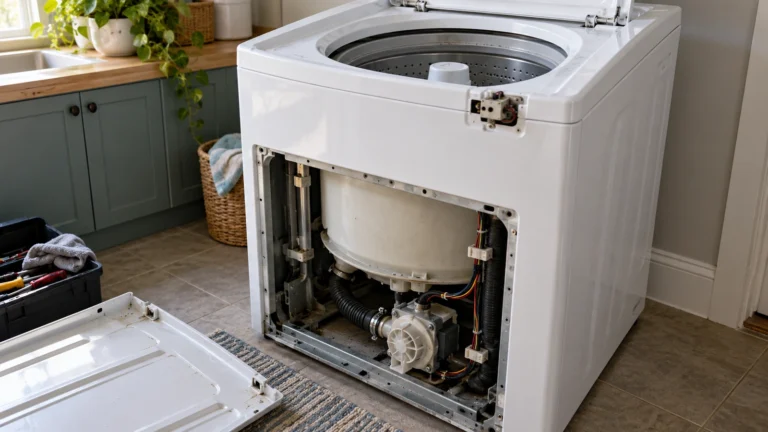
- Access the rear or bottom panel per your model’s service guide and visually inspect the drive belt for fraying, cracking, or slipping off the pulley.
- Replace a damaged drive belt, routing it exactly as the original was positioned.
- If bearings are the problem, note that bearing replacement is labor-intensive; weigh repair cost against appliance age before proceeding.
6. Defective main control board (multiple or recurring samsung washer error codes)
When the same error returns immediately after a verified fix, or multiple unrelated codes appear together, the main control board itself may be sending false fault signals due to a failed component or corrupted firmware.
- Perform a hard reset first: unplug the washer, wait 5 full minutes, then restore power to allow capacitors to discharge completely.
- Run a self-diagnostic (Service Mode) by pressing and holding the correct button combination for your specific model — refer to Samsung’s official washer error code support page for the exact sequence.
- Note every error code the diagnostic cycle logs; a pattern of unrelated codes strongly suggests a board issue.
- Visually inspect the board for burnt components, swollen capacitors, or signs of water damage.
- Replace the main control board if physical damage is found or if all mechanical components test good.
Frequently asked questions
How do I reset samsung washer error codes without calling a technician?
Unplug the washer from the wall outlet and leave it unplugged for at least 5 minutes. This allows the control board to fully discharge and clear soft faults stored in temporary memory. Restore power and run a rinse-and-spin cycle. If the code does not return, the fault was a one-time glitch. If it reappears, the underlying cause must be diagnosed and repaired — a reset alone will not fix a mechanical or electrical problem.
What does the Sud or SD code mean on a Samsung washer?
The Sud (or SD) code means the washer has detected excessive suds in the drum. This is almost always caused by using regular detergent instead of HE (High Efficiency) detergent, or by using too much HE detergent. The machine will pause and attempt to dissolve the suds on its own. To prevent recurrence, switch to an HE-rated detergent and use only the amount specified on the packaging for your load size.
Is it safe to keep using my Samsung washer when an error code is displayed?
In most cases, no. The washer displays an error code because it has detected a condition that prevents safe or effective operation. Continuing to run cycles can worsen the underlying problem — for example, running with a partially blocked drain can overstress the drain pump motor — and in rare cases (such as a door latch fault) may pose a safety risk. Address the code before resuming normal use.
Why does my Samsung washer show an error code only on certain wash cycles?
Cycle-specific codes usually mean the fault only occurs when a particular component is called into action. For instance, a hot-water solenoid failing on the inlet valve may only trigger a fill error on cycles that request hot water. Similarly, a vibration code appearing only on high-speed spin suggests a balancing or bearing issue that the slower agitation cycle doesn’t stress enough to trigger. Noting exactly which cycle produces the code helps narrow down the failing component quickly.