Samsung Washer Not Spinning – Fixes & Causes
In this guide
1. Unbalanced or Overloaded Drum
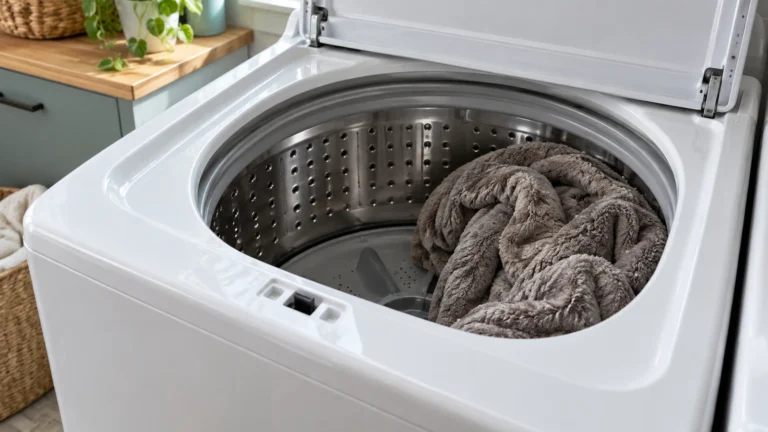
Samsung washers automatically stop spinning when the load is unbalanced to prevent damage to the machine. This is the most common and easiest fix—no parts required.
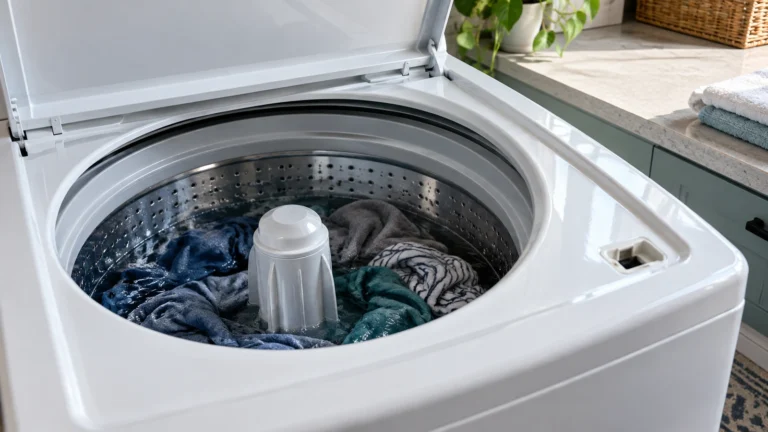
- Open the door and redistribute clothing evenly around the drum.
- Remove a few items if the drum is packed to the top; overloading prevents the drum from reaching spin speed.
- Close the door firmly and restart the cycle, selecting the spin-only option if available.
- Ensure the washer sits level on the floor; adjust the leveling feet until the machine does not rock.
⚠️ Caution: disconnect power and water first
Unplug the washer and turn off both water taps before you remove a panel, test a part or disconnect a hose. Never test parts with the power on, and never bypass the lid switch or door lock. If you aren’t comfortable doing this, call a qualified appliance technician.
2. Clogged Drain Pump or Filter (samsung washer not spinning due to standing water)
If water cannot drain fully, the washer’s control board will prevent spinning as a safety measure. A blocked pump filter is one of the most frequent culprits.
- Unplug the washer from the power outlet before proceeding.
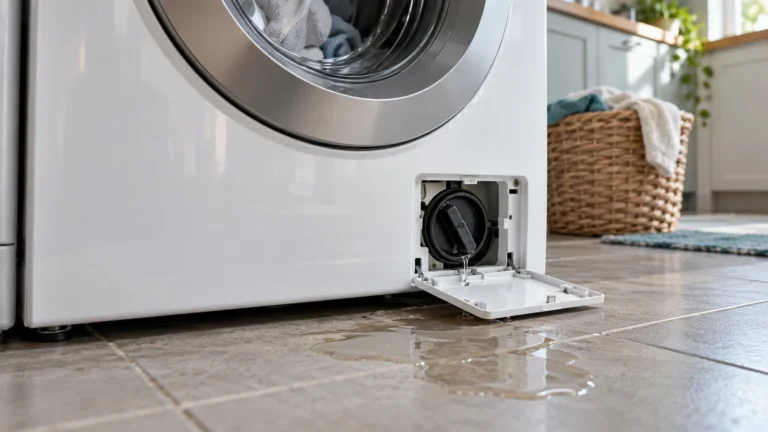
- Locate the small access panel at the lower front of the machine.
- Place a shallow pan and towels under the panel to catch residual water.
- Slowly unscrew the filter cap and let water drain into the pan.
- Remove the filter completely and rinse it under running water, clearing lint, coins, or debris.
- Inspect the drain hose at the back of the machine; straighten any kinks and ensure the standpipe height is between 18 and 96 inches.
- Reinstall the filter, restore power, and run a drain-and-spin cycle.
- If water still sits in the drum, the drain pump motor itself may be faulty.
3. Faulty Door Latch or Lid Switch
Samsung front-load and top-load washers will not spin unless the door or lid is detected as fully closed. A worn or broken latch prevents the safety signal from reaching the control board.
- Close the door firmly and listen for a solid click; if you hear nothing, the latch may be broken.
- Inspect the latch hook and the strike on the door for visible cracks or bent metal.
- Open the door and press the latch mechanism by hand; you should feel spring resistance. No resistance indicates a failed assembly.
- On top-loaders, locate the lid switch (usually under the lid rim near the hinge) and test it for continuity with a multimeter—a reading of OL (open line) when the lid is closed means the switch is defective.
- Replace the faulty component:
4. Worn or Broken Drive Belt
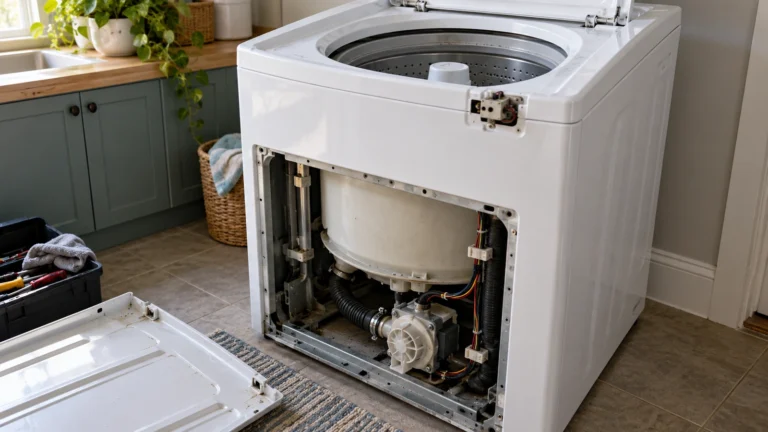
Top-load Samsung washers use a drive belt to transfer power from the motor to the drum; if it snaps or slips off, the drum will not spin even though the motor runs.
- Unplug the washer completely.
- Remove the back panel (top-loaders) or lower front panel using a Phillips screwdriver.
- Locate the belt that wraps around the motor pulley and the large drum pulley.
- Check for a broken, frayed, or stretched belt lying loose at the bottom of the cabinet.
- If damaged, slip the new belt over the drum pulley first, then stretch it onto the motor pulley while rotating the drum by hand to seat it evenly.
- Reassemble the panel, restore power, and test with a spin-only cycle.
5. Defective Motor Control Board or Main Control Board
The motor control board regulates power to the drive motor; when it fails, the drum may tumble slowly but refuse to reach spin speed, or may not move at all.
- Unplug the washer and wait 10 minutes, then restore power to perform a soft reset—sometimes a control board glitch clears itself.
- Check for error codes on the display; common spin-related codes include UE/UB (unbalanced), nd (no drain), and 3E/3C (motor error). Refer to your model’s manual for the full list at Samsung’s official washer support page.
- Inspect the wiring harness connectors between the control board and the drive motor for corrosion, burn marks, or loose pins.
- If wiring is intact but the motor error code persists, the control board likely needs replacement.
6. Worn Carbon Motor Brushes (Direct-Drive Top-Load Models)
Some Samsung top-load direct-drive motors use carbon brushes to transfer current to the rotor; as brushes wear down to a stub, the motor loses torque and the drum stops spinning.
- Unplug the washer and tip it carefully onto its front, padding the lid and control panel with a blanket.
- Remove the base plate to access the motor mounted beneath the tub.
- Locate the two carbon brush holders on either side of the motor body and unscrew them.
- Slide out the brushes and measure their length; brushes worn shorter than ¼ inch (6 mm) must be replaced.
- Insert new brushes of matching size, tighten the holders, and reassemble the machine.
Frequently asked questions
Why does my Samsung washer stop mid-cycle and not finish spinning?
The most common reasons are an unbalanced load, a drainage problem leaving water in the tub, or a door latch that loses its grip during agitation. Redistribute the laundry, clean the drain filter, and inspect the latch. If an error code appears, note it and cross-reference it with Samsung’s support documentation before replacing any parts.
How do I force my Samsung washer into a spin-only cycle to test it?
On most Samsung models, turn the cycle selector to Spin (or press the dedicated Spin button), choose your desired spin speed, and press Start. If your model does not have a dedicated spin setting, select Rinse + Spin and skip the rinse by pressing Start twice. Consult your model’s user manual for exact button combinations.
What does the UE or UB error code mean on a Samsung washer?
UE (Unbalanced Error) and UB (Unbalanced load) both mean the control board detected uneven weight distribution inside the drum. The washer will pause or stop the spin to avoid excessive vibration. Open the door, rearrange the laundry so items are spread evenly, and restart the spin cycle. Washing a single heavy item like a comforter by itself is a common trigger.
Is it worth repairing a Samsung washer that won’t spin, or should I replace it?
As a general rule, repair is cost-effective if the fix costs less than 50 percent of the price of a comparable new machine and the washer is fewer than eight years old. Simple fixes—unbalanced loads, a clogged filter, a drive belt, or a lid switch—are almost always worth doing yourself. Expensive board replacements on an older machine may tip the scales toward replacement.