Oven Not Heating Up? Settings, Element & Igniter Checks
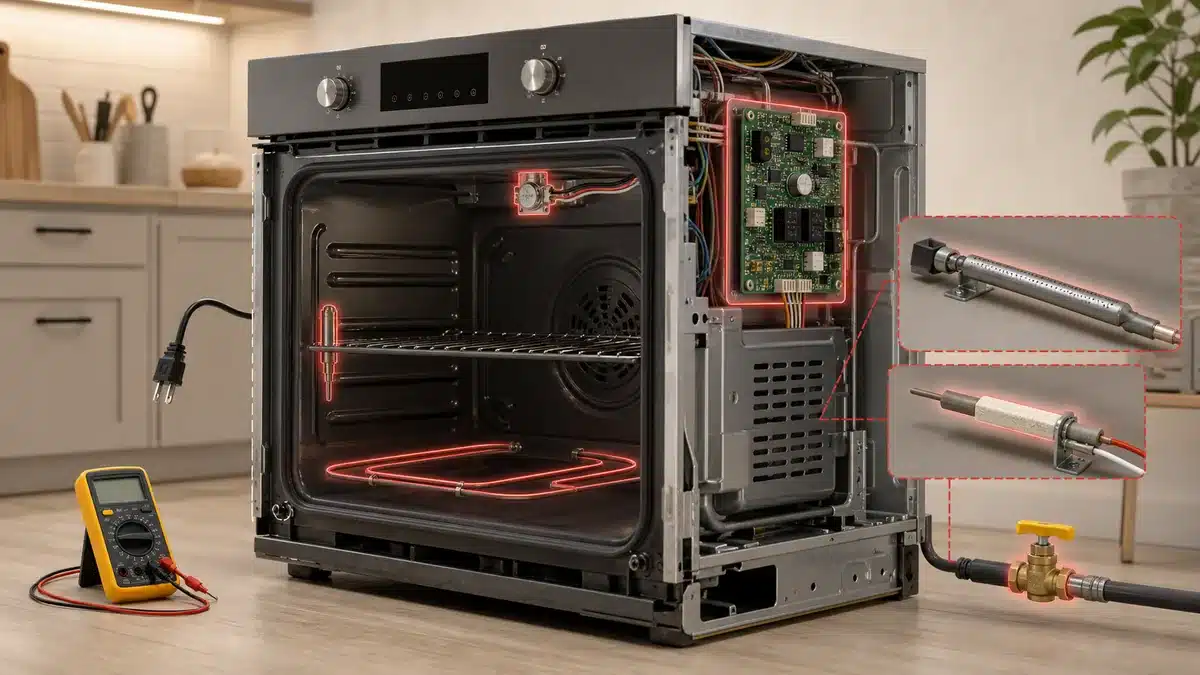
Updated September 29, 2026. Steps checked against Whirlpool’s oven support articles; no hands-on test is claimed. Controls and designs vary by model.
Smell gas? Don’t use the oven or any switches. Leave the home and call your gas utility from outside.
In this guide
Find your symptom
| What’s happening | Go to |
|---|---|
| Display works but the oven never starts heating | Settings |
| Display shows a padlock or “LOC” | Control Lock |
| Cooktop or display dead, or only part of the range works (electric) | Power and breakers |
| Electric oven: bottom element doesn’t glow | Bake element |
| Gas oven: no flame, or the igniter glows for a long time without lighting | Igniter and gas supply |
| Heats, but food takes far longer or temperature is off | Temperature check |
| Newly installed range that has never heated | Installation connection |
1. Rule out Control Lock, Demo mode and Delay Start
- Control Lock: Whirlpool says to look for “Control Lock” on the console and reset it, typically by holding the button(s) for 3 seconds.
- Demo mode: Whirlpool: “When demo mode is enabled, the oven will not operate and the control will display a short presentation.” Your manual explains how to exit it.
- Delay Start / timed cooking: Whirlpool notes some ovens can be set to bake with a Delayed Start, so the oven won’t heat until the start time. Cancel and set a plain Bake.
Source: Whirlpool: electric oven powering on but not heating.
2. Check power (and the connection on a new range)
- At the breaker panel, find the range or oven breaker. Switch it fully off, then on. Electric ranges use a double (240-volt) breaker. A partial trip can leave the display working while the oven doesn’t heat.
- For a gas range, check the breaker or fuse for its 120-volt outlet. The igniter needs electricity.
- Make sure the door closes fully and the door seal isn’t damaged, so heat isn’t escaping.
- Newly installed electric range? Whirlpool lists the power-cord connection: strain relief tightened, terminal wire colors in the right places, and terminal nuts secure. With power off at the breaker, have the installer or an electrician check it.
If the breaker trips again, stop resetting it and get the range checked.
3. Electric oven: check the bake element
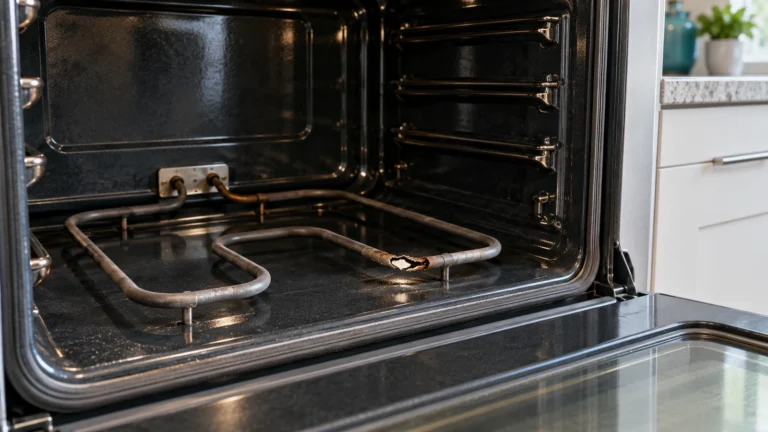
Whirlpool: “If your heating element is not glowing red when you attempt to heat your oven, this can be a sign that it needs to be replaced.”
- Set Bake to 350°F and watch the bottom element through the window for a few minutes. On many models the element glows red while heating and then cycles.
- With the oven off and cool, look at the element for breaks, blisters or burnt spots.
- Some ovens have a hidden bake element under a smooth floor that you can’t see. In that case, check whether the bottom of the oven warms at all.
- If Broil works but Bake doesn’t, the bake element (or its circuit) is the likely problem. Broil uses the top element.
Replacing a bake element involves electrical connections, and Whirlpool recommends professional service for it. If you do it yourself, switch the range off at the breaker first and use the correct part and instructions for your model.
4. Gas oven: check the supply and the igniter
- Check the other gas appliances in the home and the cooktop burners. If none light, it’s a supply issue: call your gas utility.
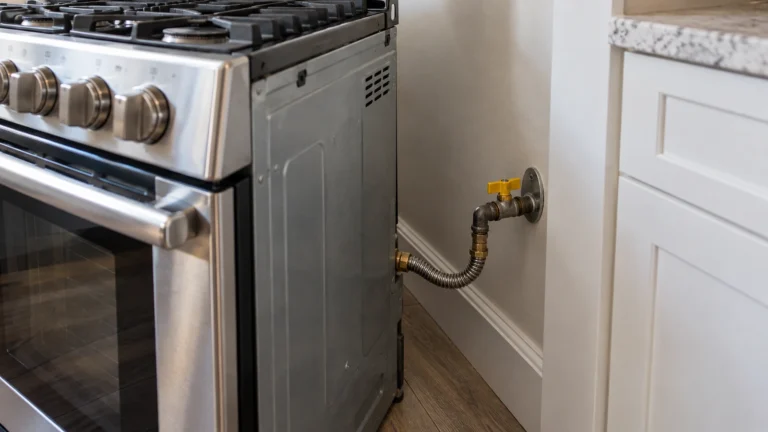
- Check that the range’s gas shut-off valve is open (handle in line with the pipe). On many ranges you can reach it through the storage drawer. If you’d have to pull the range out, don’t strain the gas line, and re-engage the anti-tip bracket afterward. If you can’t reach it easily, call a technician.
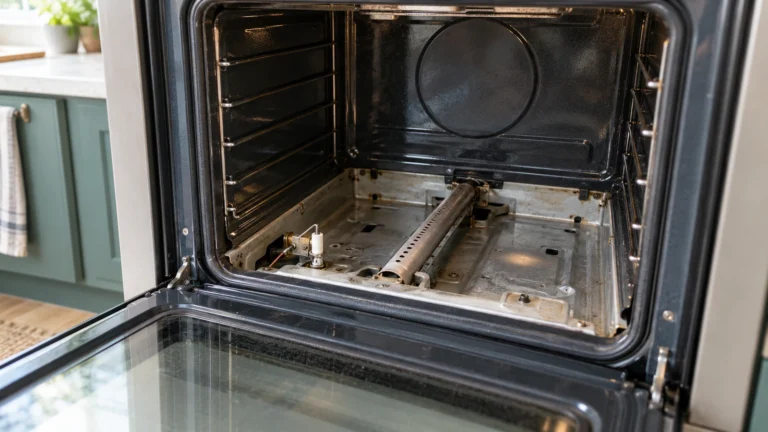
- Set Bake and watch through the window or the bottom vent area. The igniter should glow bright orange and the burner should light.
- If the igniter glows but the burner never lights, or the oven takes much longer than usual to light, the igniter is usually too weak to open the gas valve. Whirlpool notes that “dirty or faulty igniters” are a possible cause. Replacing it is a job for a qualified technician.
- If there’s no glow at all, check the breaker and outlet for the range, then arrange service.
5. It heats, but not to the right temperature
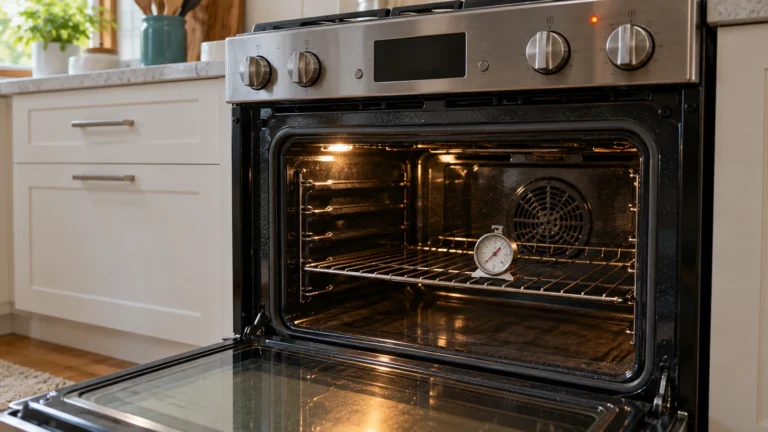
- Put an oven thermometer in the center of the oven, set 350°F, and read it after preheating and 20 minutes more. Ovens cycle, so take a couple of readings.
- If it’s consistently off by a similar amount, most ovens let you adjust the temperature offset. Your manual explains how.
- Check the temperature sensor probe on the back wall. Whirlpool notes that when it’s correctly positioned (at a 90° angle), the sensor helps the oven control its temperature. A bent or knocked probe can give wrong readings.
- If the oven stays far below the setting, or slowly gets worse, a weak igniter (gas) or element (electric) is likely.
When to call a technician
Call a technician for gas igniter or valve work, control-board faults, repeated breaker trips, or if you’d rather not replace an element yourself. Useful details: model and serial number (often behind the storage drawer or on the oven frame), gas or electric, the settings you tried, and whether Bake, Broil and the cooktop work. Print the checklist.
Frequently asked questions
Why is my oven on but not heating?
Check for Control Lock, Demo mode or a Delay Start first; each of these can leave the display on without heat. Then check the breaker, then the bake element (electric) or igniter (gas).
Why does my oven broil but not bake?
Broil and bake use different elements or burners. If broil works and bake doesn’t, the bake element or bake igniter is the usual cause.
How long should preheating take?
It varies by oven and temperature. A preheat that has become much slower than it used to be is the real warning sign, especially on gas ovens with an aging igniter.
More specific guides: gas oven not heating · electric oven not heating · Samsung · Frigidaire. Manufacturer overview: Whirlpool: why is my oven not heating up?