LG Washer Not Spinning? Causes & Fixes (Ranked)
In this guide
1. Unbalanced or Overloaded Drum (Most Common)
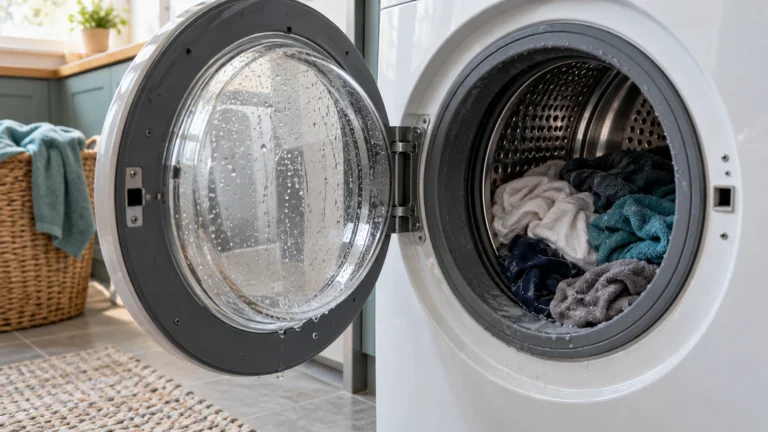
LG washers automatically pause or skip the spin cycle when the load is off-center or too heavy to prevent cabinet damage. This is the single most frequent reason spin is skipped entirely.
- Open the door and redistribute laundry evenly around the drum.
- Remove a few items if the drum is packed tightly—overfilling prevents proper tumbling.
- For bulky items like comforters, add two or three towels to balance the weight.
- Close the door firmly and restart a spin-only cycle to confirm the fix.
⚠️ Caution: disconnect power and water first
Unplug the washer and turn off both water taps before you remove a panel, test a part or disconnect a hose. Never test parts with the power on, and never bypass the lid switch or door lock. If you aren’t comfortable doing this, call a qualified appliance technician.
2. Drain Not Clearing (Washer Won’t Spin When Full of Water)
LG washers will not advance to the spin phase if standing water remains in the tub, because the pressure switch or control board detects the drum is still full. A blocked filter or kinked drain hose is usually to blame.
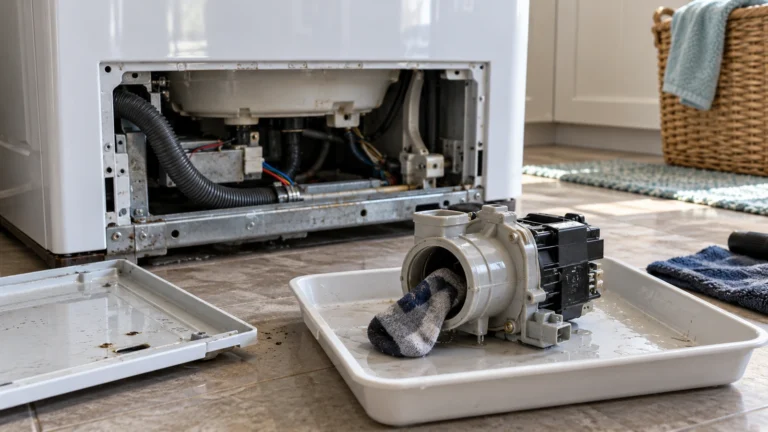
- Place towels on the floor and open the access panel on the lower-front of the machine.
- Slowly unscrew the drain pump filter cap and drain water into a shallow pan.
- Remove and rinse the filter under running water; clear any lint, coins, or debris.
- Inspect the drain hose at the back of the machine—straighten any kinks and confirm it is not inserted more than 6 inches into the standpipe (which can cause a siphon).
- Reinstall the filter, run a drain-and-spin cycle, and check for error codes.
- If the pump hums but water stays in the drum, the pump motor may be seized and need replacement.
3. Faulty Door Latch or Lid Switch
On front-loaders, the door latch assembly signals the control board that the door is safely closed; on top-loaders, the lid switch performs the same role. If either component fails, the washer refuses to spin as a safety measure.
- Close the door firmly and listen for a solid click; a weak or absent click suggests a worn latch hook or striker.
- Inspect the door latch visually for cracked plastic or a bent hook.
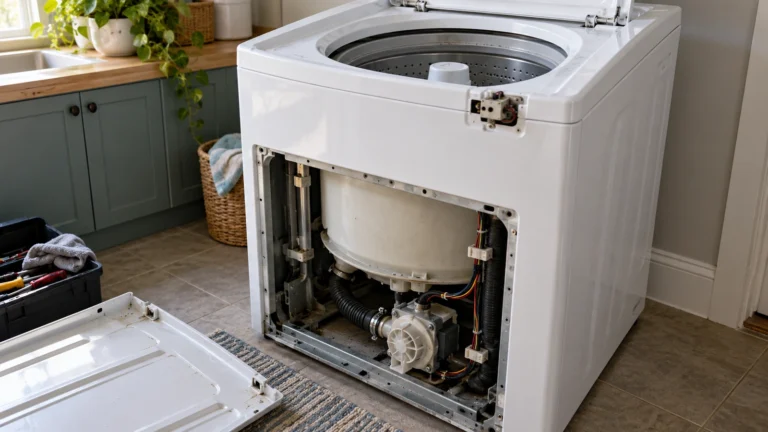
- On a top-loader, use a multimeter set to continuity mode: unplug the washer, locate the lid switch (under the top panel near the hinge), disconnect its wiring harness, and probe the terminals. No continuity when the tab is depressed means the switch is bad.
- Replace the faulty component and test.
4. Worn or Broken Drive Belt
Most LG top-load washers use a drive belt to transfer motor power to the drum; a snapped or stretched belt means the motor runs but the basket sits still. Front-load models use a similar belt between the motor and drum pulley.
- Unplug the washer from the wall outlet.
- Remove the back panel (top-loaders) or the front lower panel and pump assembly (front-loaders) to access the belt.
- Inspect the belt for cracks, fraying, glazing, or complete breakage.
- Try rotating the drum by hand—if the motor shaft spins freely while the drum stays still, the belt is confirmed broken or off its pulleys.
- Loop the new belt around the motor pulley first, then stretch it over the drum pulley while rotating the drum slowly by hand to seat it.
- Reassemble panels and run a test cycle.
5. Defective Motor Control Board or Main Control Board
The motor control board regulates power to the spin motor; if it burns out or develops a failed relay, the drum will not spin even though all mechanical parts are intact. Look for burnt spots or a persistent error code like LE or UE on the display.
- Note any error code on the display and look it up in LG’s official support documentation at lg.com/us/support/washer.
- Unplug the washer and wait two minutes, then restore power to clear transient faults (soft reset).
- Remove the control panel access screws and visually inspect the motor control board for burn marks, bulging capacitors, or melted traces.
- If damage is visible, replace the board. If no visible damage, use a multimeter to check for proper voltage output at the motor harness connector per your model’s wiring diagram.
- Reinstall or replace the board and retest.
6. Worn Rotor or Stator (Direct-Drive Models) — Your LG Washer Not Spinning at Full Speed
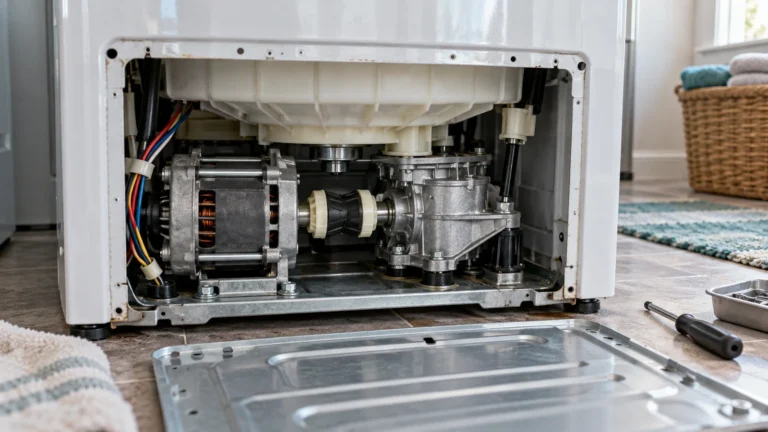
Many LG front-loaders and newer top-loaders use a direct-drive motor whose rotor and stator replace the belt entirely; damaged magnets on the rotor or a shorted stator winding will produce slow, labored, or no spin, often alongside an LE error code.
- Unplug the washer and lay it on its back on a padded surface.
- Remove the single bolt at the center of the rotor and pull the rotor straight off the stator shaft.
- Inspect the rotor’s ring of magnets for chips, cracks, or missing pieces; inspect the stator coils for scorch marks or melted insulation.
- Test each stator winding with a multimeter in ohms mode; a reading of OL (open) or near zero on any winding indicates a shorted or open coil—replace the stator.
- A physically damaged rotor should be replaced even if it reads normal on a meter.
- Reassemble, restore power, and run a spin cycle.
Frequently asked questions
Why does my LG washer stop mid-cycle instead of completing the spin?
The most common reason is an unbalanced load. The machine’s sensors detect uneven weight distribution and pause or abort spin to protect the drum bearings and cabinet. Redistribute the laundry, close the door, and press Start to resume. If it keeps stopping, also check that the washer is level on all four feet—adjust the leveling legs until a spirit level reads flat front-to-back and side-to-side.
What does the LE error code mean on an LG washer?
LE stands for “Locked motor Error.” It typically means the motor is drawing too much current—caused by an overloaded drum, a seized direct-drive rotor, or a failing stator winding. Start by reducing the load size and running a spin-only cycle. If LE returns, inspect the rotor and stator as described in section 6 above.
Can I manually drain my LG washer before attempting repairs?
Yes. Place a shallow pan and towels under the lower access panel, then slowly unscrew the drain pump filter cap counterclockwise. Water will flow out gradually. Once drained, you can safely access the drum and internal components. Always unplug the machine from its power outlet before opening any panels or touching wiring.
How do I know if my LG washer’s drum bearings are the real cause of a spin problem?
Worn drum bearings usually announce themselves with a loud rumbling or grinding noise during spin, not complete spin failure. Spin the empty drum by hand with the washer unplugged—rough, gritty resistance or wobble when you push the drum sideways points to failed bearings. Bearing replacement is a significant disassembly job and is often a good reason to call a technician.