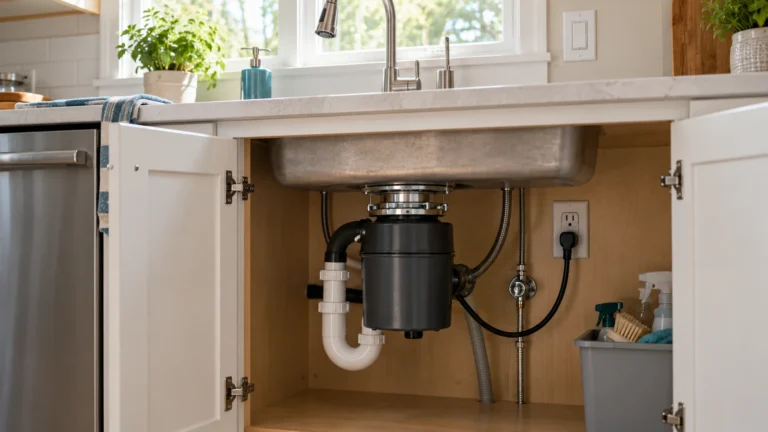
Garbage Disposal Reset Button: Where It Is and What to Do
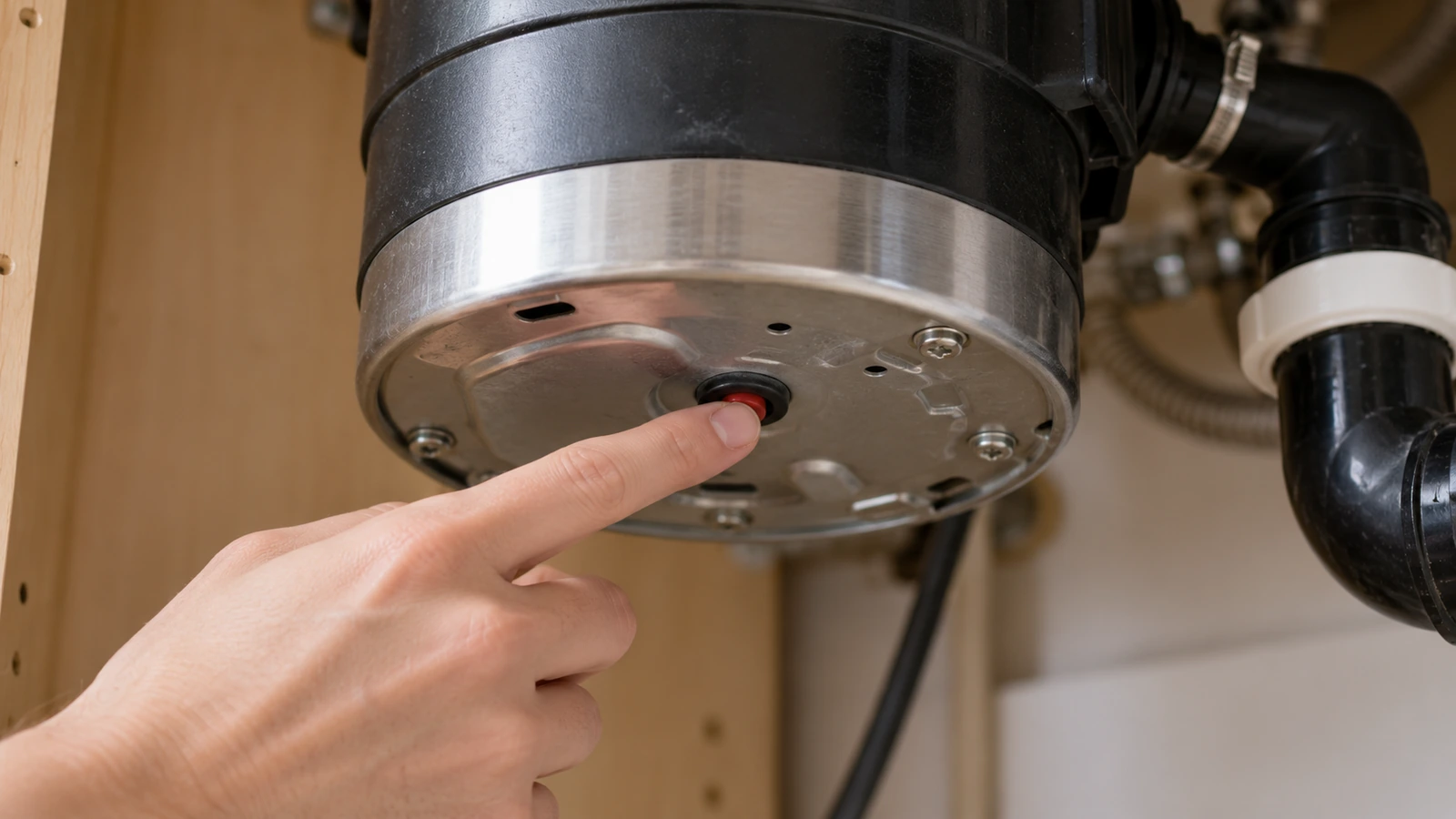
The reset button is the motor’s overload protector. It cuts the power when the disposal jams, overheats or runs too long, and it’s the most common reason a disposal goes silent. This guide covers where to find it by brand, how to reset it, and what to do when pressing it doesn’t help.
⚠️ Switch it off first
Turn the disposal’s wall switch off before you press the button, so it doesn’t start while your hand is under the sink. Never reach into the disposal itself. Don’t hold the button in, tape it down or try to bypass it: it’s the motor’s overheating protection.
Where is the reset button on a garbage disposal?
| Brand | Where to look | What it looks like |
|---|---|---|
| InSinkErator | “Under the sink, on the bottom of the garbage disposal, facing the floor” | “A small square red button” |
| Badger (made by InSinkErator) | Same as InSinkErator: on the bottom, facing the floor | Small red button |
| Moen | “Located on opposite side of the power cord” | Red button; Moen says it may need a screwdriver to press |
| InSinkErator EZ Connect | No button: an automatic overload resets itself | See no button? |
| Other brands | Usually on the bottom or lower side of the unit | Check the owner’s manual |
Lie on your back with a flashlight if you need to; the button faces down on InSinkErator units, so it’s easy to miss from above. A tripped button is the giveaway. InSinkErator says it drops down “about a quarter of an inch (5mm).”
How to reset a garbage disposal
InSinkErator’s steps:
- “Set the disposal switch to OFF.”
- “Press the red button in gently.” You should feel it click and stay put.
- “Run cold water, then switch the disposal to ON.”
On a Moen, push the button firmly (Moen notes a screwdriver may help), make sure nothing and no one is near the sink opening, then restore power and test.
Why it tripped matters. InSinkErator says the protector shuts the unit off when it’s “clogged, run for a very long time, overheating, or has a fault.” If it tripped while grinding, check for a jam before you run it again (see keeps tripping).
No reset button?
Some disposals reset themselves. For EZ Connect units, InSinkErator says the disposer “is equipped with an automatic overload switch”:
- With a wall switch: turn it off and “allow disposer to cool for a period of up to 20 minutes before turning back on.”
- With a push-button air switch on the sink deck: turn it off and unplug the disposer for up to 20 minutes, then plug it back in.
- If it still won’t run, InSinkErator’s next step is to check the breaker panel for a tripped breaker or blown fuse.
Reset button won’t stay in?
The protector won’t reset while the motor is still hot. InSinkErator: “If it won’t stay in, wait ten minutes and try again.” Turn the switch off, open the cabinet doors so air can get to it, and try again after the wait.
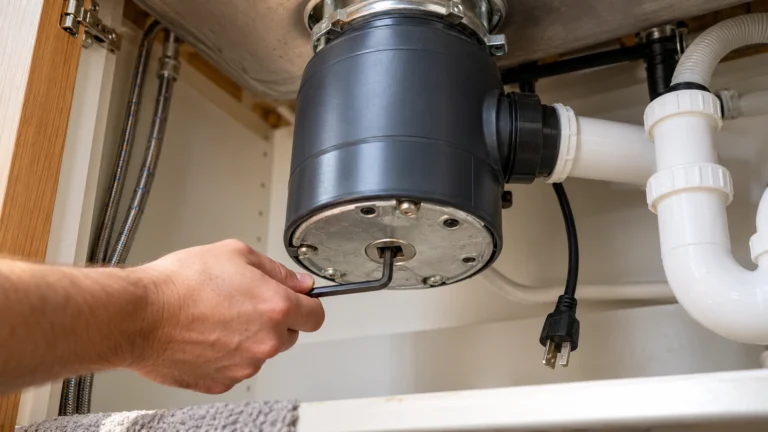
If it still won’t latch once the motor is cool, something is still stalling it. Free the turntable with the hex key or anti-jam wrench, as in our humming disposal guide, then try the button again. A button that never latches on a cool, jam-free disposal points to a fault inside the unit; that’s a service call, not a part to swap yourself.
Reset button keeps tripping?
A disposal that runs a few seconds and trips again is usually telling you one of these:
| When it trips | Likely cause | What to do |
|---|---|---|
| As soon as you switch on, with a hum | Jammed turntable | Free the jam, then reset |
| Partway through a big load | Overloaded or run too long | Feed scraps gradually with a strong flow of cold water |
| After grinding greasy or fibrous food | Partial jam or buildup | Check the chamber with a flashlight; remove debris with tongs |
| Every time, even with no jam | Motor or internal fault | Stop using it; check the warranty or call a pro |
| The house breaker trips, not the red button | Electrical fault | Stop and call an electrician |
InSinkErator’s own line on repeated tripping: “the disposal may require service or replacement.”
Reset it but it still won’t turn on?
If the button is in and the disposal is silent, the power isn’t reaching it. Work back along the supply, as InSinkErator and Moen suggest:
- Breaker or fuse. InSinkErator: “switch the breaker off then on, or replace the fuse.” Also press Reset on any GFCI outlet in the kitchen.
- Outlet test (plug-in disposals). Unplug the disposal and plug in a lamp or hair dryer, turned on. Flip the disposal switch on and off: if the lamp follows the switch, the power is fine and InSinkErator says “your garbage disposal requires service.” If it doesn’t, call an electrician about the outlet or switch.
- Other ways it switches on. Moen points out that batch-feed models start from the stopper, and air-switch models from a tube running to a sink-top button; a loose or damaged tube stops the disposal from turning on.
- Hard-wired disposals. After the breaker, InSinkErator says the problem “may be in the garbage disposal, or in the electrical system,” which is a job for an electrician.
For the full checklist, see garbage disposal not working.
When to call a professional
- The house breaker trips the moment the disposal starts.
- The reset button won’t latch on a cool disposal that turns freely.
- The outlet and switch test fine, but the disposal stays silent after a reset.
- It keeps tripping with no jam, or it leaks from the body.
Check the warranty first; InSinkErator, for example, offers text support at 262-233-2231 and in-home warranty service on many models. Fixr puts a disposal that won’t turn on at about $50 to $400 to fix, and HomeAdvisor puts an installed replacement at $200 to $625.
Frequently asked questions
Where is the reset button on a garbage disposal?
On most InSinkErator and Badger disposals it’s a small red button on the bottom of the unit, facing the floor. On Moen it’s on the side opposite the power cord. Some models have no button and reset themselves after cooling.
How do I reset my garbage disposal?
Turn the switch off, press the red button in gently until it clicks, run cold water and switch it on. If the button won’t stay in, wait ten minutes for the motor to cool and try again.
Why does my garbage disposal reset button keep popping out?
Usually a jam or an overload. Free the turntable with the hex key or anti-jam wrench, remove any object with tongs, and feed food more slowly with cold water running. If it trips with no jam, the disposal needs service.
What if my garbage disposal has no reset button?
Some, such as InSinkErator EZ Connect models, have an automatic overload. Turn the disposal off (and unplug it if it uses an air switch) and leave it for up to 20 minutes, then try again.
Can I bypass the reset button?
No. It protects the motor from overheating. If it won’t reset on a cool, unjammed disposal, the unit needs service or replacement.
Sources: InSinkErator: how to reset a garbage disposal · InSinkErator: fixing a jammed garbage disposal · InSinkErator: won’t turn on or off · Moen: garbage disposal has no power · Moen: how to unjam a garbage disposal · Fixr: disposal repair cost · HomeAdvisor: disposal replacement cost.
Updated October 28, 2026. Written and edited by Jordan Hale. Steps checked against InSinkErator and Moen support pages; no hands-on test is claimed. Disposal designs vary, so follow your owner’s manual.